My Heart Beats for the ZX81
A ZX81 heart animation with an EKG twist, built from trigonometry, line drawing, and a bit of BASIC charm.
I’ve always liked programs that feel a little alive, even on a machine like the ZX81. For Heart Beat, as usual, I was inspired by others. I ran across this EKG Heart program by Holger Palmroth for the Spectrum and decided to adapt and expand it for the ZX81.
# Making the heart.
At the core of the program is a parametric-style loop that builds the heart shape one point at a time. Each step calculates an X and Y position using trigonometry, then connects it to the previous point with a line. To make it look interesting, a line is then drawn between the edge points creating the shape of a heart.
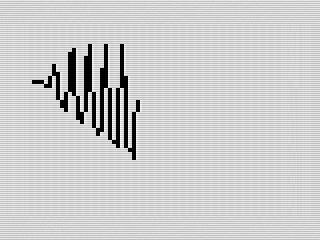 ZX81 Heart Beat, Drawing the heart, 2026 by Steven Reid
Since this was adapted from Spectrum code, I needed to emulate drawing a line since the ZX81 doesn’t have a DRAW command. Fortunately, I have a few from my childhood to use. I chose a short, if not fast, routine and typed it into the program using my existing code.
# Fixing the shape.
Even after scaling things down, something felt off. The right side of the heart had a slight bulge that didn’t match the left. The fix turned out to be extending the step iteration by a couple of degrees: I=18*E/362. This evened the shape out a bit and smoothed out the symmetry.
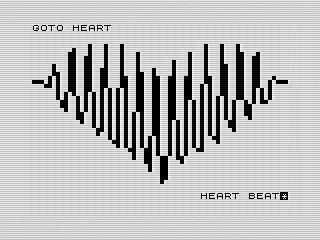 ZX81 Heart Beat, Love Message, 2026 by Steven Reid
To finish the effect, I added lines to the left and right of the heart. This made it feel more like an EKG and completed the effect I was looking for in my program. With the heart done, I now turned to another idea I had for the program.
# A little fun with SAVE.
With the program complete, it was time to save and package it. As usual, I created a little save routine in the program so it would run on LOAD. Since emulators start immediately, the ZX81’s frame counter tends to be the same each run. This makes the RND not very random. The best fix for this is to let the user add a little variability and the best way to do that is to wait for a key.
I’ve done this before in other programs but took a different approach. Usually, after waiting for the key, I call RAND 0 in the program to seed the random routine from the frame counter. This time, I decided to add that into the key routine. In addition, that routine acts like a PAUSE by counting down a delay. This avoids the screen flicker, but serves a second purpose.
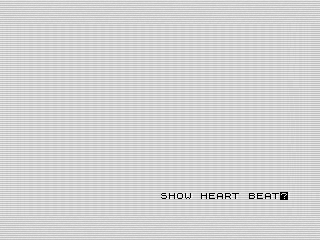 ZX81 Heart Beat, Opening screen, 2026 by Steven Reid
To make the display more interesting, I added a small heart beat animation to the key routine. The P variable gets used to alternate from a regular and inverse asterisk. I used this to display a little opening message after loading. The user can still ignore pressing a key but, if they don’t, I kick the random seed a bit.
# Adding a little personality.
With the heart graphic done, I wanted to add some messages of love to the graphic. I played with a few different themes, generating phrases I thought would work. Nothing felt right until I stumbled across a phrase that plays off BASIC and programming code.
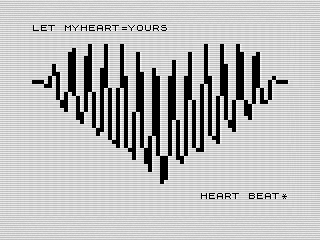 ZX81 Heart Beat, Second Love Message, 2026 by Steven Reid
Playing on the theme, I whipped up goofy phrases until I settled on ten in total. These phrases are selected and displayed at the top. I then added a little message at the bottom that used the key press routine from earlier that makes the flashing asterisk look like a beating heart. With that, the program is complete.
# Where it could go next.
If I were to push this further, the biggest improvement would be replacing the line routine with a machine language version. That would make a huge difference in speed, even if I left the math routines in BASIC.
Beyond that, it’s tempting to think about high-resolution graphics or even adding color with something like Chroma. These are things I've done before and would be a fun exercise. I’d have to overcome the challenge of mixing graphic modes. The downside is that this would require hardware I didn’t have as a kid and still don’t have today.
Honestly, there’s something satisfying about getting this much out of BASIC. As slow as it is, I enjoyed the final look. Not as cool as what could be done on the more capable Spectrum, it still holds its own. If I really wanted a challenge, I could try to write this using only integers on the ZX80. Now that would be a real challenge.
Want to try it out? You can run the program, or view the code if you’d like to see how it works.