Can You Keep Up with Lift, My ZX81 Elevator Game
A fast-paced ZX81 elevator game where you catch moving items before they splat, built from a simple idea into a playable classic.
This week I received a new ZX81 book I purchased on eBay called "Timex Sinclair 1000 Programs, Games, and Graphics." A little graphic program in the back of the book inspired me to create a game called Lift. Can you catch the items before they fall? Let’s dig in.
# Moving around the floors.
Before we dive into the program, let's talk about the game. As a lift operator, it is your job to move between floors and catch the items that move along it. Simple enough, right?
Of course, the items move pretty quickly, making the game somewhat challenging. You use the 1-4 keys to travel between each floor. Like a hotel, the first floor is at the bottom and the fourth at the top. Fortunately, you don't need to stop between floors. As a hint, I usually have my fingers on each number ready to react.
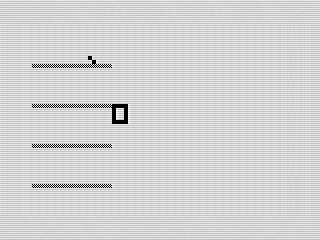 Lift in motion. 2026 by Steven Reid
For each caught item you get 10 points. Miss an item, and it goes splat, and the game displays your score. How high can you go?
# An old idea reused.
The original graphic program, called "Macy," was a short little elevator simulator. The intent was to show how to move objects on the ZX81 screen. Typing in the program, I liked the clever way it moved the lift between floors. It wasn't fast, but it did convey the movement quite elegantly.
Designed for 1K (even though the Timex Sinclair 1000 was sold with 2K of RAM), the graphic program was quite simple. It used a repeating for loop to PLOT the floors. Although it looked decent, it was slow to watch.
The movement of the lift was better, using a simple print routine with a variable to shift between floors. Using a simple number input, you could move the elevator between the store's floors.
Overall, quite an intriguing simulation. I wanted more. Time to make a game.
# Printing instead of plotting.
Throwing out the old code, I started fresh. The first thing to go was how the floors were created, switching from PLOT to PRINT AT. With the new routine, not only could I display the floors faster, but I could use a different graphic as well.
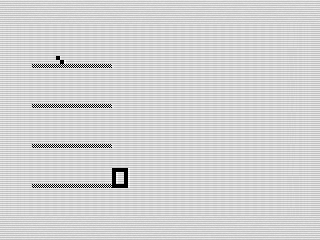 Lift Game play. 2026 by Steven Reid
With the display done, it was time to add in some movement.
# Making the game move.
With the display now done, it was time to add in some motion. I remembered another game using alternating block characters to convey motion. Using the same concept here, I wrote a little display routine for the item. It moves along a randomly chosen floor for you to catch.
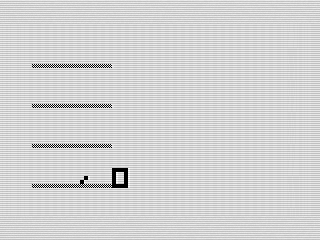 Lining up the catch. Lift, 2026 by Steven Reid
The item moves smoothly using a very simple array. Using the ZX81’s true/false logic, I used the NOT command to flip between the two frames of the animation. The code below is a decent approximation of the logic.
 120 LET N=NOT N
 130 PRINT AT Q,W;" ";"/\"(N+1)
If you select a floor, the item will pause to allow the elevator to shift between floors. I like it when the items are polite. If you play enough, you may realize you can move the lift at the last possible moment and still win.
# Catch it or splat.
One thing I tried to do with the code is logically organize it. Since I was using 16K of memory, I could be a bit verbose and add in some REM lines to explain what each routine does. Although they are quite simple, it does help manage the flow of the program. By glancing at the code, it becomes clear how it is laid out.
Of course, the biggest challenge is catching that item. When you select the right floor, the game adds some points and repeats. If you miss, the item becomes an asterisk and the ending screen is displayed.
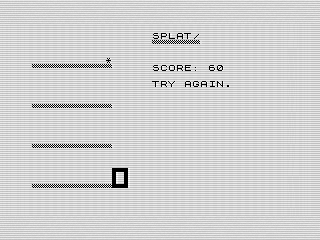 That didn’t end well. Lift, 2026 by Steven Reid
It’s simple, but it works. The timing feels just tight enough to keep you paying attention. On a real TS1000, you'll be fighting the membrane keyboard as well.
# A proper intro screen.
I couldn’t resist adding a small intro screen to set the stage. I added it to the SAVE routine to make things easier. It’s a small touch, but it helps the program feel more complete right from the start. Plus, it tells you how to play. This avoids the objects from just rolling off the screen to start.
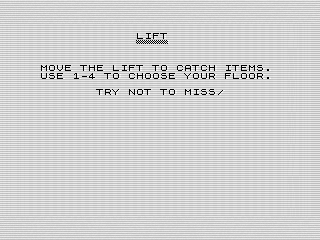 Lift intro screen. 2026 by Steven Reid
As a side note, I did use the ZX81 comma to format the text. This avoided adding in additional PRINT lines.
# Same idea, very different game.
At its core, this is still the same idea I found in that 1982 listing. Although I started by fixing the input routines and speeding up the graphics, the biggest improvement is how much cleaner the program structure became. It didn’t hurt that the game glitched when I was almost finished, forcing me to rewrite it from scratch.
But between the rewritten structure, updated input handling, and character-based graphics, it feels like a completely different program. Faster, cleaner, and honestly just more fun to play.
It’s always interesting how far you can take a simple idea with a fresh pass.
Want to try it out? You can run the program, or view the code if you’d like to see how it works.